5 Image Things to Know for SEO

In a recent article I discussed How to Tag Your Blog Right. In that article I mentioned that to increase SEO results and thus visitors and views to your blog does not mean extra work. Tagging your blog content is something you do anyway, so why not do it properly? I also discussed the permalink change that is no extra effort. Extra effort to me is if I have to do research and search for all the things to do for an article. I like to just go with the flow of the mind waves.

Today is another ‘No Extra Effort, Should Already Be Doing It’ thing to, again, increase SEO results. I harp on SEO results. I don’t do this to try and turn you into a tech savvy market yourself machine. I do it to give you the lingo and the basics of blogging and website management. You write it, you build it, don’t you want it seen?

I get in a rush sometimes and don’t always do this. To be honest, as I have said before, I am not so much focused on really pushing my blog to be some monster machine. I’m happy the way I am. That being said, I should be doing these things. Reading about these things might make it SEEM like there is more to do, but it’s not. It’s just you are reading about what you already do. That always makes it sound like work.

5 image things to know for s e o

Image Type or File Type

When you look at images on your computer you see those letters at the end after the . that are usually JPG, GIF or PNG. Those really are QUALITY things to look at. If you want QUALITY at any size go with the JPG. PNG and GIF would just depend on what you have. I notice that at times a site called picmonkey will save a creation in PNG form. This is not to say it is better than others, it just means that the format is good for that image. How do I know this for certain the JPG is the best quality? I took a picture and did something I will discuss in the next point.  The JPG quality sometimes surpassed PNG and GIF greatly.

You are probably wondering how if you have a GIF how you can turn it into a JPG. In WINDOWS you simply open the file then click;

  • File
  • SAVE AS
  • And Choose JPEG from the Save as type portion of the pop up box that shows up. At least that’s how it works with mine. Most will work similarly. Play with it if yours is different.
  • Save

Right about now you are thinking that is a lot of work. Do it a couple of times and it takes you maybe 30 seconds. My apologies if that ruins your day.

Others of you are asking yourself “What difference does it make since the picture looks fine to me?”

File Size or Web Page Load Speed

You’ve written a catchy sounding title, it’s been clicked on and then it just sits there attempting to load. If I am a passerby visitor I’m gone already. If I am a friend and follower of yours I will refresh to see if it works and if not, I might come back later. Sure I will eventually read your post if I remember. If I have 10,ooo followers on my Blog and another 20,000 on Twitter and I might have shared that post with them at Lunch Time in the New York City time zone and am now sharing it in the 2 AM New York City time zone instead, that might mean a bit of difference to you.

This is a little extra work for you. But it’s quick work.

The smaller your File Size for an image the faster your load time. But be careful of your quality. Reducing File Size means reducing the number of pixels per inch. As you reduce the number of pixels you are basically taking away detail of the image.

  • DynamicDrive has something called Image Optimizer that is free to use online. You can choose a URL to load or an image from your computer. You can convert to a different type, and then compress.  The really great part? You can then scroll down and look at the original photo and compare to the different reduced file sizes for what you like. Yes, they get bad toward the bottom, but the first couple are pretty good. And depending on your purpose for the image, that -21% image might be nice enough. Then you just save the image you want and move on.
  • I Optimized the same photo in all three file types and the jpg was by far the best quality.
  • What you have below is the original photo in JPG form, then reduced by 21% in JPG form, then by 19% in GIF  and then the PNG is the only one they offered.

collaborationstallcollaborationstall_21collaborationstall_19collaborationstall_4Extra Bonus? Less space on your computer taken up as well if it’s something you are just using for a blog post and not a family photo.

Now you know about quality file types. You know about compressing or resizing your file types. Now onto something else that’s important and we will discuss it in three forms. Why? Because there are three different forms

Naming Your Images

File Name or Image Name

This is the name you give it on your computer and then load it to your site or blog. Think key words and simple English. Don’t jam it full of buzz words. Let’s say you have an image of a sunset. Suggested File Name;

  • pink-sunset-over-ocean.jpg

Basically you describe what is in the image with the most important words first, just in case you use too many characters. In a way you are ‘tagging’ your images. Basic and to the point. If you had a vehicle you would put in the details of the vehicle such as blue-honda-accord-2007-se.jpg or something like that. Your images have to have a name so why not make them useful for you and SEO. I have done a bad job of naming some of my images in the early stages and spend forever looking for that one image I need.

Alt  Text

If you look in the Media portion of your site or blog you will see something called an Alternate or Alt Text box. Fill that out. Don’t leave it blank. When you load the image you will already be on this screen with this field staring at you. What do you do? One simple thing would be to take the file name and just replace the dashes with spaces. I know that sounds simple but that is one suggestion. You can also give it a different name such as;

  • sunset over laguna beach pacific ocean

Now you have two different wordings for the same image for the SEO to see. Just remember to use the important words first.

Title

The great thing here is that for WordPress.com users this is already filled in. Now you can always change it for a third descriptive and short blurb. If you have a site or blog that doesn’t fill in the Title go ahead and put something in there. There is no 100% answer to if it does or does not impact SEO but why not? You can even just copy and paste the ALT Text blurb if you like.

So why the big deal about naming?

There are tools out there for the visually impaired that actually read your images. Also SEO reads your images and if you have an image at the beginning of your article or post and there is nothing to read but gibberish File Name numbers that came from your camera then that search is going to skip right by you. I am not certain how far into your content a search goes but make sure those first couple of of paragraphs, images included, have important words in there.

Much Respect

Ronovan

Enter your email address to subscribe to this blog and receive notifications of new posts by email.

© Copyright-All rights reserved by ronovanwrites.wordpress.com 2014

Get that Creative Spark Back: Do a Guest Blog

How can you spark your Blog World Creativity?

It’s called the . . .

Guest Blog

Yes, that fabled thing we all hear about and sometimes actually take part in. I did one a while back. Now I’ve done two. Today, this being Friday, November 21, 2014 I have a guest post on Meanings and Musings by Florence T. How in the world did I end up on the blog of a very deep thinking, super intelligent ladies’ blog?

Well it all started back in 1970 when two young tadpoles were born and then . . . okay maybe that’s too far back. Florence is crazy busy in her life and needed a Florence 2stand in for her Blog for the day. And yes, Florence T is the Florence of LitWorldInterviews. So her being so nice as to help me out on that site I was more than happy to step in and save the day. Super Ronovan Writes to the rescue.

Then I find out the topic. I wont’ tell you what it is, you’ll have to go find out for yourself. Let’s just say it’s not a subject I would have thought of. But the good thing is, it stretches the creativity.

When asked, don’t say no. Just go for it and whatever the topic, do it. Just remember, you are writing it and you can make it what you want it to be, not necessarily what they thought it would be.

As long as you write in a respectful manner that doesn’t like insult the audience or the host then cool. Like I know that on Meanings and Musings, Florence’s site, I will not use profanity. Not that I do anyway. She is a professional; attorney, therapist, teaching college, mother, saint. astronaut, former pop diva, and professional wrestler. (Some of that might be true and some might not.)I keep that in mind, although I don’t let it stop me from having fun. I still have to be me, and she knew that going in.

That poor woman. All those poor readers. All I can say is part of the title is “What’s up with Sex?”

Perhaps I will start Guest Posts here. Hmm. Not a bad idea. Random Writers on Ronovan Writes. Interesting.

Much Respect

Ronovan

Enter your email address to subscribe to this blog and receive notifications of new posts by email.

© Copyright-All rights reserved by ronovanwrites.wordpress.com 2014


Surviving the Blogging Dry Spell.

“HELLO?! It’s dry in here!” My brain screamed at the top of its . . . whatever it has to scream at the top of with.

“’Sup?” I asked.

“Dude, we got nothin’.”

“What do you mean, nothin‘?”

“Seriously? I’m your brain and you are asking me what that means?” It asked. It sounded ticked.

I waited a moment, gathering my thoughts.

“Dude, I’m your brain, I know what you’re thinking. Yes, I mean we have no more ideas up here. You need to get your butt in gear and stimulate us somehow,” it said.

“Okay,” I said. “You got any ideas?”

“You are a freakin’ froo froo. I just told you we’re dried up and you ask if I have any ideas.”

“Oh yeah. Okay . . . wait, then how am I supposed to come up with something if you have no ideas for me to come up with ideas?” I asked, realizing the real dilemma.

“Just figure it out. I’m taking a nap.”

Surviving the Blogging Dry Spell . . . Or How to plan for one.

Yes, the above is a real conversation I’ve had–a few times. Don’t commit judge me!

Remember that feeling when you first created your blog . . . and immediately wanted to change the name of it? And that was after you sat there 20 minutes coming up with the first name. Nah, I’m just kidding about the changing the name part—a little.

We had that giddy feeling of having a presence on the internet. We were now going to take over the world share our thoughts with others.

Then–dun dun dun.

We had to write our first blog post and, yes, we froze.

We were excited but our brains started hurting because we thought this was the be-all-end-all of our blogging career. The future relied on that first post. DOOM was on the horizon and we were freaking out and regretting we ever signed up for the Blog World Life!!!!

Boy, were we wrong. Drama Diva much? I get like that at times. Hey, we all have a touch of diva in us.

But that excitement is something we want to keep going. And wo/man, is it difficult at times. And you know what? It’s okay. It happens, just go with it.

You might look at my blog and wonder how I would know about a lack of excitement in blogging and finding that energy to create something new. All you see is the AMOUNT of articles/posts I have.

Variety is the spice of life, folks.

I do poetry, humor pieces, opinion pieces, post videos, rants, stories and I even interview bloggers and at one point on RonovanWrites I did Author Interviews, I’ve started a new site for that though.

Some sites like to do just one type of thing. If that’s the case, then keep in mind you might run into a dry spell. I said might? You WILL run into a dry spell. Even with variety it WILL happen.

How do you make it through a dry spell and get that excitement back?

  • Write while you are excited and hold some of those things in reserve. Don’t put everything out like a maniac like I have done. I’ve put out enough for two years worth of posts. In the beginning I would put it out as it came. Because the thought was that you needed content content content. But the habit you start is the habit you keep. Then I came to my senses and began to go ahead and schedule something for each day moving forward until I am done with that creative flow. I also have drafts of things I’ve done and folders on my computer with things to pull from if I need to.
  • Visit blogs and find inspiration there. I said find inspiration, NOT copy. There are times I will read something and think a few things; 1) That word used, I like that and can do something with it, 2) That turn of a phrase brings a memory to mind, or 3) That is just wrong and I need to write something factual about something along those lines. I don’t take an idea and then make it my own. Never do that. If you do something with an idea, give credit to whoever it was and then go with it.
  • Have a Reblog day of some of your favorite posts you’ve found and make that part of your regular schedule. Why? It allows you time to actually visit blogs when you might normally be writing because you think it’s all about you. And if you plan to do that, make sure to be someone who reads reblogs as well. Why? I’ve found that reblogs aren’t the biggest traffic inviters on my site. I try, but most times it just doesn’t work. Maybe I don’t present it right. But Reblogging does a lot of things. It helps you rest, and it gives your friends another outlet for their creativity and it shows your enjoyment of what they do. So if you are reading this, expect some reblogs here, and not just from my LitWorldInterviews site.
  • Be open to anything. Even if you do only blog one type of thing, be open how to interpret things to fit your content type. I created a Wordless Haiku for Photography even though I am not a Photography but I love seeing what people do with it.
  • Spend a day commenting on blogs. I tell you, having a conversation with your fellow bloggers can be a great stress reliever.
  • Read your comments on your blog posts. There are ideas waiting there for you.
  • Take a break. Yes, take a break. Who says you have to post every day? Take a mental break and recharge. Go out into the world and look around, pay attention, and write what you see.

There are a lot more things you can do, but only you know what they are. Just know that a Dry Spell in Blogging does not mean to stop Blogging all together. It happens to everyone. Dry Spell might even be the wrong words to use. You might just be going through a Down Spell, or a Blah Spell in your energy and you THINK it’s a Dry Spell.

Give it some time and then you’ll be fine. Don’t put a time limit on it. Don’t set deadlines for yourself ever. Deadlines are a killer in blogging. Blog because you want to blog and blog when you want to blog.

Well, that’s about it for me this week. My brain has said “stop now before you get into that you are stretching it too thin, Ronovan  zone”.

See Y’all Next Time
Ronovan

ron_full_river - cropped

Enter your email address to subscribe to this blog and receive notifications of new posts by email.

2014 © Copyright-All rights reserved by ronovanwrites.wordpress.com

My 3 Best Blogging Tips for a Successful Blog

My Best Blogging Tip

I can give anyone is to be honest in everything you put out. If you have something you don’t like or are not feeling, then don’t post it. If that means you go a day without a post, then fine, save your readers the suffering of mediocrity. My apologies to my readers.

I feel responsible to put out a lot of content in order for there to be something for each type of person that visits. I know not everyone likes each and every piece I come up with so I try to have a little bit of variety. This does not mean a piece is bad just because a person does not like it. You can’t make everyone happy with your writing.

The foolish thing about the idea of my massive amount of content output is . . . I have so much content on my blog that people already have plenty to see if they want to see it. But there is a problem with backing off my content output and just letting people check out what I have already. And that’s where my,

Third Best Blogging Tip comes into play and that is . . .

Blog Organization & Navigation: Get it right Sooner than Too Late.

No, you didn’t miss the number two blogging tip. Not everyone is like me for content output. I am a serious writing fiend. This has put me in a bad spot. I need to organize but it will be a very long process and that is time intensive and tediousness I can’t handle. It’s just something I literally cannot do at this point in my life medically.

lego_juggler

How did I get so unorganized?

Whenever we start blogs we want them to look great and put out creative things without a look to the future because we often times don’t think about what happens if we really enjoy it or if others enjoy our work. Great. But one thing you need to think of is organizing. We use Categories on that sidebar thing for that and it works perfectly fine. But then again . . . it doesn’t.

How are your visitors going to find your great work? How do they navigate your site?

You might be saying to yourself,

“Ronovan, I write poetry, or I have photos so people are just going to see that by clicking on my Photography category.”

  • I don’t like every subject matter of photography.
  • I don’t like every subject matter of poetry.
  • You know there are even triggers for some people these days. Triggers are words or sounds or images or anything that causes some reaction from another person and often times in a negative manner.

Triggers have been an issue with me of late. There are blogs I don’t visit now because there are things I know might be there. Even a warning is a trigger. Even the idea of the site itself is a trigger and the person attached to the site has become a trigger. So what to do to help this not happen? This isn’t to say you need to try and avoid every trigger ever because that’s impossible.

The Category way, a MUST

Sure, Categories are a start but then you have to think about things like . . . well let’s take poetry. I have a lot of poetry on my site. All of it is under the Category of Poetry which I now have as a drop down box under ‘My Writings’ page. But there are different types of poetry and different topics.

So what I need to do is slowly move my poetry into more Categories. This is great if you want a long list of Categories on your sidebar.For me the Drop Down Menu looks a touch more professional as long as it is done properly. I still need to work on mine. But if you are satisfied with a list of categories in your sidebar then by all means do it.

There is nothing wrong with having poetry categorized as Love Poetry, or Depression Poetry, or Funny Poetry, or even Sensual Poetry.  You would be using those adjective words in the Tags anyway, so why not use them in the Category name instead? That means one less Tag you use.

The thing to know here is to go ahead and make these Categories as you make your posts. It will come in handy later when and if you want to do drop down boxes/menus.

If I had done the above to start with the next option I will mention would be a breeze.

My Nightmare

Waiting until you have almost 700 articles published is a bit late in the game to be taking another stab at organization but it is a must. I’m going to try but it will be slow going. I advise you to do it now. Do it a little at a time if you need to. But get it done so people can visit and check out more of what you have to offer. Just imagine people don’t even know about my poem ‘Snack Attack‘.

Doing Drop Down Menus.

You might be wondering how to set up the Drop Down Menus under or atop your header photos. Go to your Dashboard, for WordPress users, then to Appearance near the bottom, and then Menus.

For some there might be different locations for Menus, as in where on your blog a menu or menus can appear. I’m just going to briefly or not so briefly do a run through of a basic drop down option.

MenuOnce in the Menus page to edit your menus you have sections called  Pages, Links, Categories, and then to the right Menu Structure. If you have your blog open go ahead and just take a look at it and  you will see it’s pretty simple and nothing all freak out worthy. You can’t mess up in here unless you hit save and even then you have to do something else first before anything you do now would save. And I’m not telling you what that is yet.  So check it out.

Before anything, look at the Menu Structure section.

What happens here is you move Pages, Links and Categories into this box and then move them around to how you want them to appear and function on your blog.

  • If a Title is all the way to the left in the box then it will function as a ‘Heading’, at least that’s what I will call it. Or perhaps a Section Title. I have Haiku Challenges on my blog RonovanWrites, well I don’t want a person to click Haiku Challenges and end up seeing every challenge I have because it then becomes confusing. Instead I want them to see the specific type of challenge, be it the Word Prompt Challenge or the Wordless Haiku Challenge.
  • If you want something to show up as a drop down option then you simply drag it slightly to the right, underneath the ‘Heading’ you want it to appear under. So for me the ‘Heading’ would be Haiku Challenges and the drop down options would be ‘Word Prompt Challenge’ and “Wordless Haiku Challenge’. So Haiku Challenges would be all the way to the left then the actual challenges would be lined up underneath each other just to the right and under the ‘Heading’.
  • You can even make subheading under subheadings by moving something to the right of ‘Word Prompt Challenge’.
  • Don’t do the sub of a sub thing, or I don’t recommend it as the deeper you bury things in your blog structure supposedly the deeper a Search Engine will need to search.

Pages:

Pages is the section that contains actual PAGES you have created in the PAGES part of the Dashboard. I will use all caps for real PAGES from now on so you will know the difference between a real PAGE and what looks likeLego_Blocks a page.

  • Click on the ‘Pages’ box and a list of your PAGES will appear. You can check the box next to what you want and then click Add to Menu. Did you catch that? You can actually, by using the Menus feature, keep a PAGE from appearing in the Menu while you work on it or until it is ready to be used.

Links is a bit different:

For links you have two boxes; URL and Link Text.

This is where I create the ‘Headings’ or ‘Fake Pages’ if you will.

  • Type in the ‘Heading’ in the Link Text field. For me it would have been Haiku Challenges.
  • Next you need a URL link to hold the ‘Heading’ in place so to speak. You see if you clicked on Haiku Challenges you might not find anything there because I just created a name, no content, no post or anything. What you do is simply copy the URL from the front page of your blog. This will make it so no one can click on it but when their cursor hovers over it the drop box shows up.
  • Once you have done this, click Add to Menu and place it where  appropriate on your Menu Structure.

Categories is the last on our list:

These are the Categories you created as you created your posts. And this is why you want to be a little specific about naming standards. In other words these are the Categories that show up on the Category list in the sidebar.

  • Click the View All tab so you can see all of the Categories you use for your posts.
  • You can now add any you want to the Menu Structure area.

Why be specific in naming standards? What if you have a Literary site that does interviews and book reviews and you have genre ‘Headings’ and then ‘Categories’ that are all the same names according to age of reader? You know what you end with for yourself? Confusion and delay. So be specific so you know what you are using at a glance and not out of trial and error.

Here is the part you need to know about making drop downs instead of a bunch of ‘pages’.

Once you’ve done all the Menu Structure you then want to make sure Primary Menu is checked at the bottom and then click Save Menu. You can click Save Menu throughout the process and check and see if things are going as planned by having your site open in another tab or window. Just hit refresh on that other tab or window and check out your progress.

That’s a quick rundown of how the Menus work and how to get organized. I hope it will be helpful and I will work on a more complete Menu article in the future with the images that you have become accustomed to, but to be honest, this article wasn’t going to be this, it just happened.

One last thing for the O/N Blogging tips you need to do and actually it’s the first is to sit down and think about your Category names, your ‘Heading’ titles, and even your real PAGES you want to have. You don’t have to have every single one, just what you need so you get a standard method in place.

Now for the number Two Best Blogging Tip I have

Have fun and ignore the number of views and followers you have. If you worry about those two things then you start forgetting about the Number One Tip, being honest. You start forcing things and people can tell you aren’t having fun or at least you are not putting your heart into it. When that happens, people stop visiting you.

So why are these my Best Three Blogging Tips? If you don’t have quality you don’t have readers and if you have a mess on your hands your new readers won’t see your quality content from before they found you. So make your life easier.
back to top

Much Respect

Ronovan

followmeonbloglovin

2014 © Copyright-All rights reserved by ronovanwrites.wordpress.com

Writing Tip: Should you try to write in a genre style?

What genre do you write in? When you sit down to start your novel, what is it going to be able as far as what area of the book store or category on Amazon will it show up?

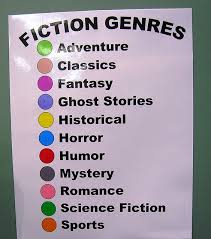
genresI could make this a long article, but I won’t. An author friend of mine and I were talking about a Romance I wrote, or two actually and that I wrote them having never read a Romance. The stories were really Love novels to me, but as for genre they would likely be called Romance.

I set out to write a Romance as a challenge to do something outside of my comfort zone and have discovered I love the basic ideas of the genre, but I had no idea what elements went into a Romance. I simply wrote the novels.

You see what you do is sit down and write your story. Pour everything into it, and then when you finish . . . find out what your genre is. The book will fall into some genre. Just tell your story from your heart. You can tell a science fiction robot story from the heart because you are putting all you have into a piece of your work. If you’re not doing that then I’m not sure why you are writing. I can’t write a novel, a poem, or short story without putting feeling it. I can’t even write this tip article without feeling emotions. If I don’t feel the pain of a character or have to walk away at times because of a decision I had to make in the book, then I shouldn’t be writing that story. (No characters were harmed in the creation of this article.)

Well those are my opinions. My opinions don’t mean there aren’t other ways to do it. Obviously people are doing it other ways and beings successful.

But for me and my tip today;

Don’t worry about your genre, just tell your story.

Get that genre thing out of your mind. It holds you back and is like some type of choke collar that keeps you from being creative because you think that something doesn’t fit right. No two books are alike, and no book is perfectly situated in one genre. A science fiction book, as an example has love, adventure, thriller and more in it, but it’s called science fiction because of the setting. So get out of the way of your words and write.


Much Respect

Ronovan

followmeonbloglovin

2014 © Copyright-All rights reserved by ronovanwrites.wordpress.com

How to Increase your #SEO Results and get your #Blog noticed.

If you are wanting people to visit your blog or website or to start getting  your name/brand out there, there are things you need to do that are simple and in some cases a one time set up that will help you. They range from blog post content for Search Engine Optimization (SEO) to adjusting your blog settings. Today I’ll share four with you.

Search Engine Optimization (SEO) Friendly Blog Post Content

Search Engines, such as Google, ‘read’ your blog content, that’s the way I will explain it. What they are ‘reading’ for is what the person is searching for, what they typed in the search bar.  If you have a blog post about ‘How To Roast A seo_googe_yahoo_upward_trend.jpgTurkey’, then your post needs to OPTIMIZE  and include words that people use to search for when wanting to find out ‘How To Roast A Turkey’. The more relevant words you use the better chances of your blog or website post showing up in Search Engines. No, don’t say turkey or roast every other word. Search Engines actually DON’T like that.

I personally Optimize by having my key words a person is searching for in Search Engines in the first paragraph or two. Why? When a reader clicks to my site I want them to know instantly they have found what they are looking for. I might meander a bit later, but I want to catch their attention to have them keep reading.

Of course don’t get crazy with using the words when it just doesn’t make sense to do so. Sometimes you just need to talk to the reader and sound like you.

Difficulty on a scale of 5 being most difficult to use:

4 until you get the hang of it because you may have to adjust your style just a bit.

Why I mention:

Search Engines are my second place referrer to my site after the WordPress Reader. But here is the kicker, for the past 7 days the Reader only beat Search Engines by 11 referrals. And to be honest we want to be found on Search Engines. (It’s now Dec. 31, 2014 and Search Engines are my #1 referral.)

Including Images Inside of Your Post

Many blogs or website content posts are shared on different platforms or sites. Examples would be Facebook, Google+, Tumblr and Bloglovin. When your content is shared that’s a great thing unless for instance it visually looks like a set of blank photographs.blank_gravatar_image.jpg

You have an image or photograph set as a ‘featured image’. Great, it’s needed at times. I set one for every post I do, unless I am helping with another site and their layout does not use it. But here is something you need to know, put the image in your actual post itself as well. When you get shared on other sites those sites don’t always grab the featured image but they do usually bring the content images along with the share. That way when they do show up, say on Bloglovin you will have images to attract people’s eye.

Facebook is a problem as well in what it pulls in. It will grab an image and carry it with the post if you don’t have one. For a time it was my Blogging U badge on my sidebar, now it is my About.Me image. So I make sure to have images that are for the content itself.

BONUS TIP!

While I am at it, I’ll mention an additional tip. When you add media to your blog notice those different boxes that come up with titles like Title, Caption, Alt Text and Description? Fill those out. Why? When Search Engines read your content you want your images to have words of what those images are. Make sure they include things like .jpg or .gif or whatever format the image is.

Difficulty on a scale of 5 being most difficult to use:

3 just because it can be tedious depending on your amount of images. I sometimes reuse images to make life easier.

Why I mention:

This is one of the things that a lot of people skip and miss out on. Some Search Engines don’t ‘read’ the entire content, just the first so much amount. If you have images taking up the beginning of your post content, then what is the Search Engine reading if you have nothing descriptive in there?

Add Your Twitter Handle to Your Sharing Button

Your Twitter Handle is your brand, your advertising, your contact. You don’t have a Twitter account? That’s fine, it’s all up to you. Twitter is my number three referral for visitors to my site right now. Not a huge number, but numbers. But that’s misleading to say. Some people just don’t click the link in that Tweet. They will open it elsewhere, or copy and paste it. I am sure my Twitter referrals are a lot more than the stats show.

You might be asking me through your monitor screen what I mean by ‘Your Sharing Button’. At the bottom of your posttwitter_bird_image.jpg you have those little buttons people can click on to share your post to various other platforms. One site to share to is Twitter. You don’t have to have a Twitter account for people to share to Twitter. It will simply say wordpress instead of YOUR NAME that created the content. It’s up to you.

If you have Twitter just Go To:

  1. Dashboard
  2. Settings
  3. Sharing
  4. Twitter username to include in tweets when people share using the Twitter button.
  5. Type in your Twitter Handle without the @.

Some of you are wondering why that would increase people coming to your site. Brand recognition. If you have a good name and image people will begin to notice. The more your name gets out there and is seen the more people know it. This is not my personal idea this is a marketing idea.  There are times you will see a TV commercial for weeks before you finally actually watch it. Your child will tell you “Dad, um, this is like the millionth time you’ve seen this.” I am not at all quoting my son.

Difficulty on a scale of 5 being most difficult to use:

1 Once you have a Twitter Account

Why I mention:

It’s a, sorry to say it this way, no brainer. You have a Twitter, you have the option, why not do it?

Use Hashtags and/or Twitter Handles in your Post Title

#BloggerBoySayWhat This is something I’ve started doing lately. It’s not something I’ve really noticed being used, the Hashtag thing, yes, the Twitter Handle, no.

chalk_board_hashtags.jpgInclude these in the title of your post so when the post is shared, say on Twitter, you automatically have certain things you want to include to be tweeted. I do this with Authors and Bloggers I interview now. I put their Twitter Handle in the actual title. I don’t use the Hashtags so much but have when it is an important issue of the moment. For example if there were some Spousal Abuse media frenzy going on I might have a title #(FirstnameLastname) is a prime example of . . . Like I said, this one is a rare one, so when I do use it, it not only gets the write Hashtag used but people will do double take when they see the article title.

Difficulty on a scale of 5 being most difficult to use:

2 I only say a 2 because you need to know the Twitter Handle of the person you are wanting to boost/help out/ promote. And you should already have that if you are doing a post about them.

Why I mention:

Twitter is huge and if you are wanting to draw attention then make your blog work for you. People will share your post on Twitter but they might not go through the trouble of using Hashtags. Just don’t be obnoxious with it unless it’s a joke of sorts.

This was a lot longer than I expected it to be and for that I say . . . ouch. Even my fingers are hurting typing that much. As you begin using tips you get from me or from others it becomes second nature to do them and quicker. Turn these into habits/routines and you will think nothing of them. And as long as you have good content you should, I repeat . . . should increase your readership.

For More of My Blogging Tips and articles click here.

For Tips about Twitter click here.

Much Respect

Ronovan

2014 © Copyright-All rights reserved by ronovanwrites.wordpress.com

Blog Tip: Tag Blog Articles Right

Blog Tip: Tag Blog Articles Right

by: Ronovan

Tags for Blogs isn’t easy. Or is it? You have a great article but no one comes to pay you a visit. Why not? You didn’t send out the invitations. I am going to make this pretty simple. Using a restaurant as an example to give you Blog Tagging Tips so that your Blog Articles will be friendlier to SEO or Search Engine Optimization. Think Google, Bing, and Yahoo.


Welcome to Restaurant RonovanWrites.

Please look at my Menu on the right which I call Categories

Please select a Dish from the Entree List of Poetry, Writing, or any other Entree you would like.

The ingredients can be found at the bottom of each  Poetry,Writing, or whatever dish you like as the Tags.


Restaurant RonovanWrites isn’t a big deal to people. It means nothing. I need to have what people want. That means a nice menu they are looking for. An example would be Poetry. Okay so I have the dish but what are the ingredients in the dish? Some people want veggie tacos, some beef, pork, or chicken.


How will people know what you have unless you tell them?


So your dish is Poetry and now you need to tell the customer what is in the Poetry you are serving. You created the dish. You know what is in it, the feelings and descriptions. Those are your Tags.


If I have a poem about my Migraines that are very bad, my Tags might be; Migraines, Pain, Headaches, Suffering, Anger, Darkness, Personal, Depression. I normally also put in Poetry, Writing, and Creative Writing, and I if I am using a personal Photo I add Photography. Blogs is also a good Tag to use.


There are those who use just a few Tags, but in truth as long as you don’t go over say 10 or so, I think you’ll be fine.


Now when a Search Engine reaches out it will see your Tags and the Category. Your Title is also important. Make sure to only capitalize the important words, the proper words. And also use key words in the first paragraph or so of your article. If you notice during some of my articles I have the images about a paragraph down, at least the first image. This is why. Search Engines don’t read Images but they do read something the various descriptions you put in the images when you load them. More on that subject another time.


I want to explain something quickly. I haven’t been overly active in really trying to pull people into my site. I know how things work. I mainly work on creating. A lot of what I create does not lend itself to SEO or Search Engine Optimization results. If you are writing articles like this then you should use everything you can. For my poetry, I’m not going to write the first lines of my poetry so Search Engines will like it more.


I hope this helps.


Much Respect

Chef Ronovan

© Copyright-All rights reserved-RonovanWrites.wordpress.com-June 30, 2014.

How Long Should Your Chapters Be?

How Long Should Your Chapters Be?

by: Ronovan


Pick up any two books you have and you’ll likely find they vary in chapter length. Each author has their own style and preference.


To be honest this article isn’t about telling you which length is best. The story itself tells you where the cut off points are for a chapter. Don’t listen to a teacher or whoever about that. Sure an editor can help but when you are writing, get out of the way of the story.


I’ve written chapters 19 pages long and there wasn’t a place to break it up because everything needed to continue in order to flow properly. But then I’ve written chapters three pages long . . . maybe even less.


How do you pick a length? I mean there has to be some idea, right, some method?


As I’ve been writing for over 20 years now, I won’t mention that includes three different decades . . . uh oh, almost four, I’ve discovered methods are like opinions, and to paraphrase an old saying; “Methods are like belly buttons, everyone’s got one.” Okay, so there is another version of that old saying but I went with this one.


Let’s discuss briefly how you would approach determining chapter lengths before you begin writing.


The way I look at it, I would say this, if the action is fast, the short ‘em. If not and perhaps a lot of emotion and all that lovey-dovey stuff, then long ‘em.


The thing is, you’re going to have some of both in a novel. And that is what you really want. Chapter lengths that are uniform throughout a book can lead to boredom. It’s kind of like when you write an essay, or if you write a blog, keep the lengths varied, but not too long.


This doesn’t mean to intentionally alternate between the two, just let the story dictate it. That would be like sing-songing it. Don’t get pitchy dog. Word.


In conclusion?


Action-Short Chapters for me. This keeps the pace quick and exciting.

Suspense/Horror-Longer Chapters to bring in all the nuances that you need to pull a person into the scene. Chapters can be shorter once you’ve established character and made the reader comfortable.

Romance and Mystery-It all depends on what you have going on in the scene. Often times you may want to pull at the heartstrings with Romance more so you may need longer chapters at times. A good writer may not need to do it, but don’t short cut it. Mystery has a lot of examination involved thus longer chapters as well.

Ultimately, the story will tell me when to stop a chapter. It almost jumps on you and says STOP! You just have to learn how to listen.

What’s my personal preference? Good question. But the real question is this; What’s your belly button on the chapter length debate? Share.


© Copyright-All rights reserved-RonovanWrites©.wordpress.com-June 25, 2014.

Quick Tips: 2 For Basic Blogging

Quick Tips: 2 For Basic Blogging

by: Ronovan


1)      When writing an article and you put in images/media make sure to click Preview on the right of the screen before publishing. Sometime what you see in your editing window is not what you will see in the finished article. Do this even for articles without media, just in case.


2)      If you put links in your article/post make sure to click the “Open link in a new window/tab” when you go to insert the link. You don’t want people to leave your own article even if it’s just to go to another one of your articles.


© Copyright-All rights reserved-RonovanWrites.wordpress.com-June 20, 2014.


3 Writing Tips: To Know When to Stop Writing…for the day…and how.

3 Writing Tips: To Know When to Stop Writing…for the day…and how.

by: Ronovan

When the laptop falls off your sleeping body or maybe when your ‘other’ smashes it with a hammer? Sorry but I just can’t help but think of Yzma in The Emperor’s New Groove every time I say ‘smash it with a hammer’, Eartha Kitt had an awesome voice. I think we all have our own inner Yzma at times. And Eartha Kitt’s voice was purrrfect for the role. (Yes, I just went Adam West Batman on you.)

But when to stop writing is very important and will help you in how to start the next time you sit down as ready as you were when you left off writing the previous day.

1)      Leave yourself with ideas.Man Writing in a Notebook

There is nothing worse than having worked so hard all the previous day only to sit down the next time and have nothing in your head to go with. You need to end your session with a good deal of material in your mind left. This way you will likely be thinking on it while away from your writing area and when you sit down next time you can immediately pick up where you left off and just let the creative juices flow. If you are concerned you will forget something, make a few quick notes to remind you so you have it ready to glance at when you sit down.

2)      Stop before exhaustion stops you.

Cat asleep on KeyboardToo many of us just don’t want to stop as those ideas are flowing, but the truth is some of those ideas aren’t going to be very sharp and you’ll have to fix them later, and you most likely won’t be able to really remember what all you did very well. So set time limits and stick to them. Also ending exhausted makes for a weary begin to the next day of writing.


3)      Set time limits and stick to them.

You need a break, you need structure. If you are working on a book, blogging, researching, submitting, and living, then you need to set some boundaries. Most people who write a book want to do it for a living. Keep it fun and creative but you need to keep it in check or it will burn you out.Timer

I have been completely wiped out writing, had writer’s block, and just really been a wreck. I’ve written a 30,000 book in 24 hours and was literally unable to function for two days. You have to set limits. For me it was a bit of a necessity at that moment, and maybe I will explain that another day, but I should have stopped, and no, there was no deadline. It was a great feeling to have accomplished something like that but it also made it so I didn’t want to look at another piece of writing for quite some time.

One part of becoming a success at writing is to keep writing, and to keep writing you need to keep it fun both mentally and physically. How do some of you keep from getting burnt out?

You may also be interested in Writing Tips: Working Through Writer’s Doubt…Just Flip it 3 Ways.

© Copyright-All rights reserved-RonovanWrites.wordpress.com-June 01, 2014.